Introduction
Preliminary terrain grading is an important stage in civil design to explore different options with project stakeholders, however just like any general grading workflow, preliminary grading involves editing of surfaces and feature lines, which can be tedious, time consuming and requires a lot of manual work.
Goal
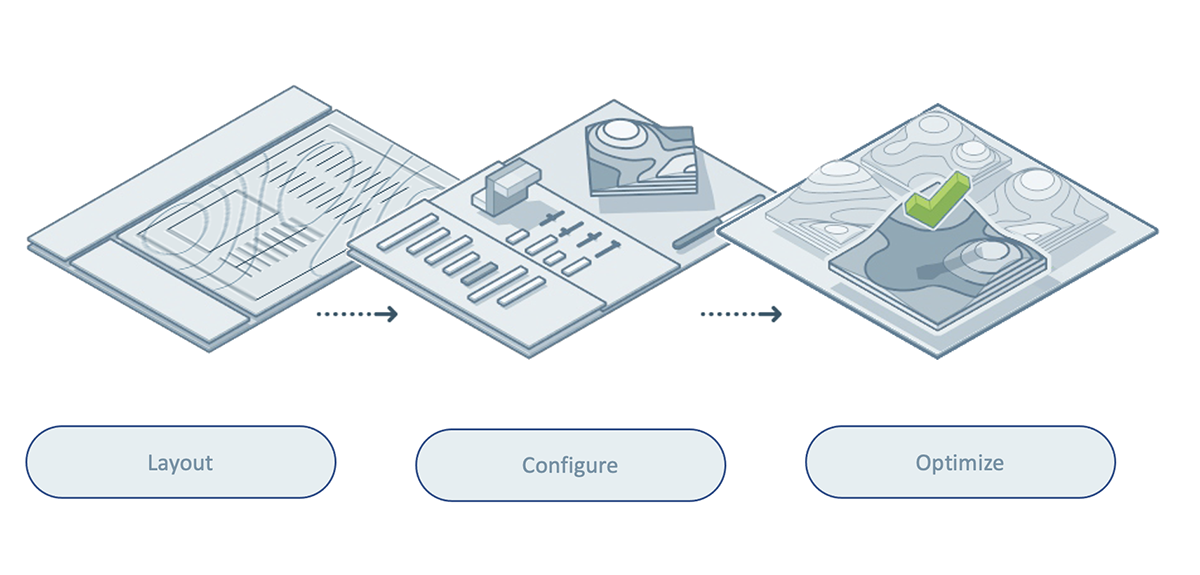
Walk through the terrain grading steps in a more automated fashion: Define problem areas, setup constraints, evaluate results, determine the optimal results.
The optimization tool can get data from existing condition easily. Results of preliminary grading can be continuously worked on for finer and more detailed grading.
Data architecture
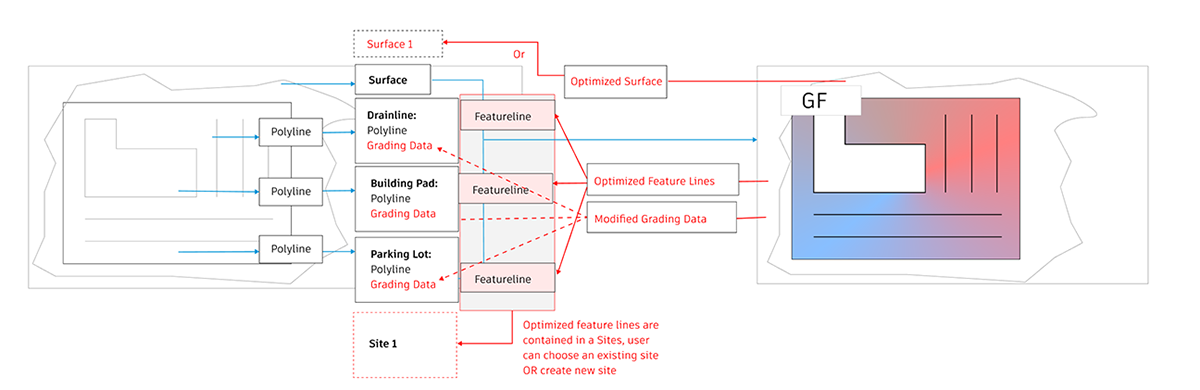
Grading Optimization is a product working with other design software in the company, data is exchanged between the design tools and this optimization platform. Diagrams are produced to illustrate the data flow between different tools, how certain data are reshaped after the optimization, and how might we indicate those changes.
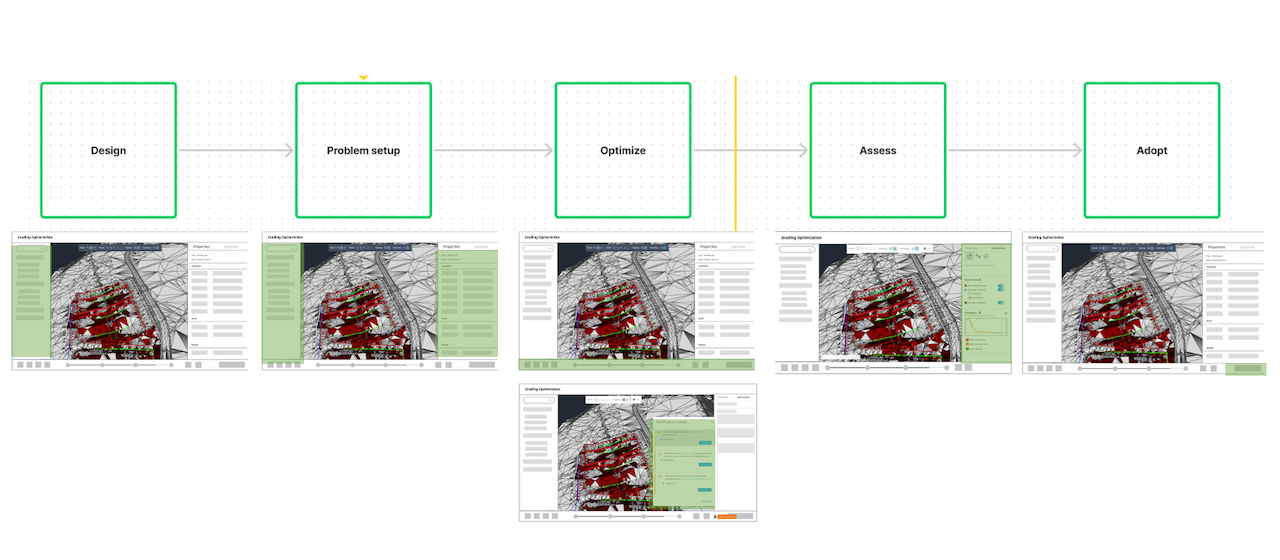
Wireframe exploration
Based on user tasks, skeletons of the design were created through wireframes.
First buildout
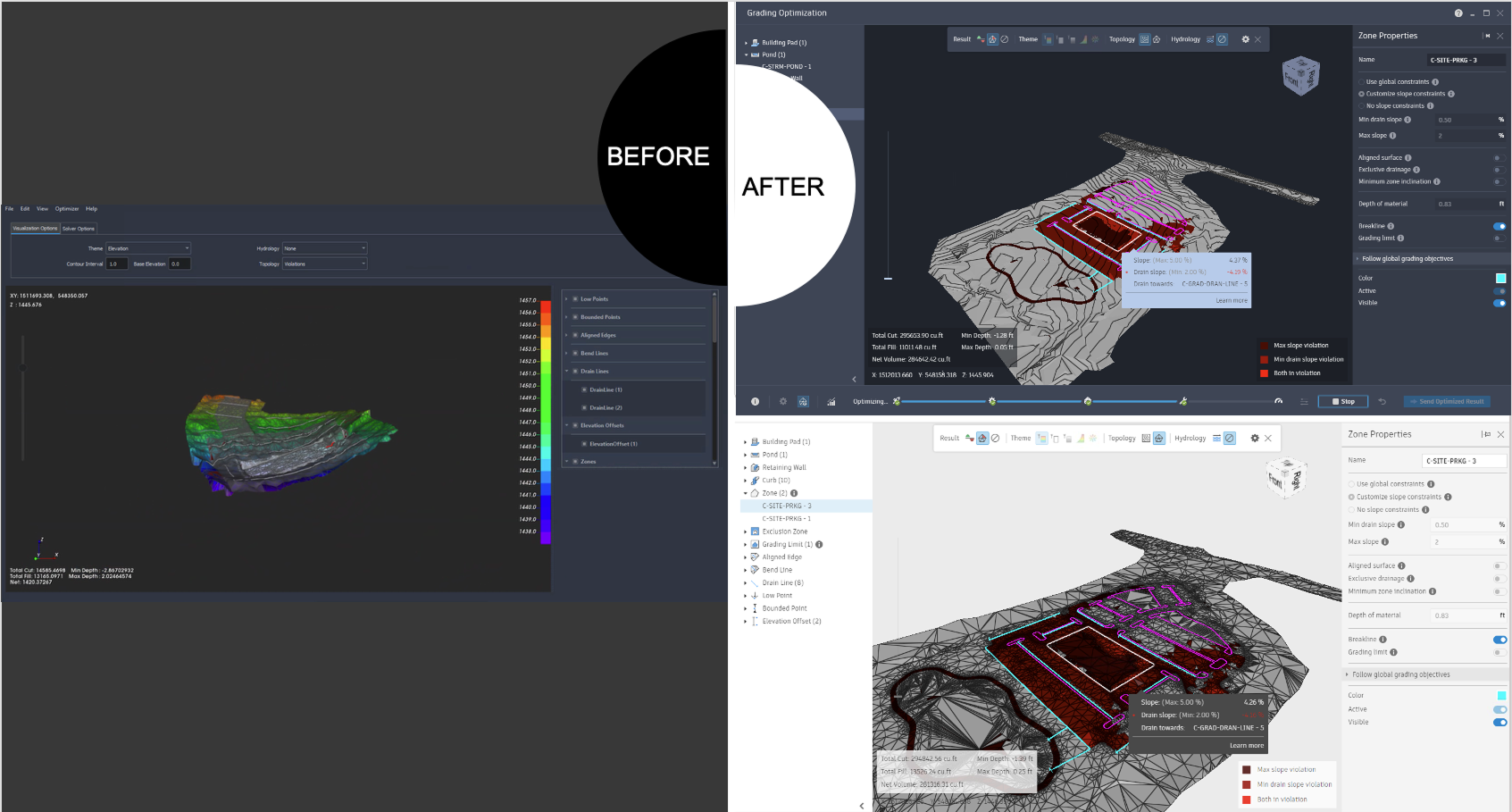
The tool emerged from a research lab project, where the scientists were experimenting with algorithms to optimize preliminary grading cost and fill balance. The initial prototype was built to evaluate the results and there was no user experience consideration. When prototype was presented to user for feedback, customers were impressed with the functionality and potential time saving aspect, but expressed confusion regarding the general workflow.
I conducted usability study with 5 internal users and 10 customers. All research were conducted remotely. I summarized the research result and feed those to the product roadmap afterwards.
The impatient learners
Customers are curious about how much time this tool can save. But many found they need assistance learning the new workflow. Customers are busy, they do not have very long time read through the user guide website.
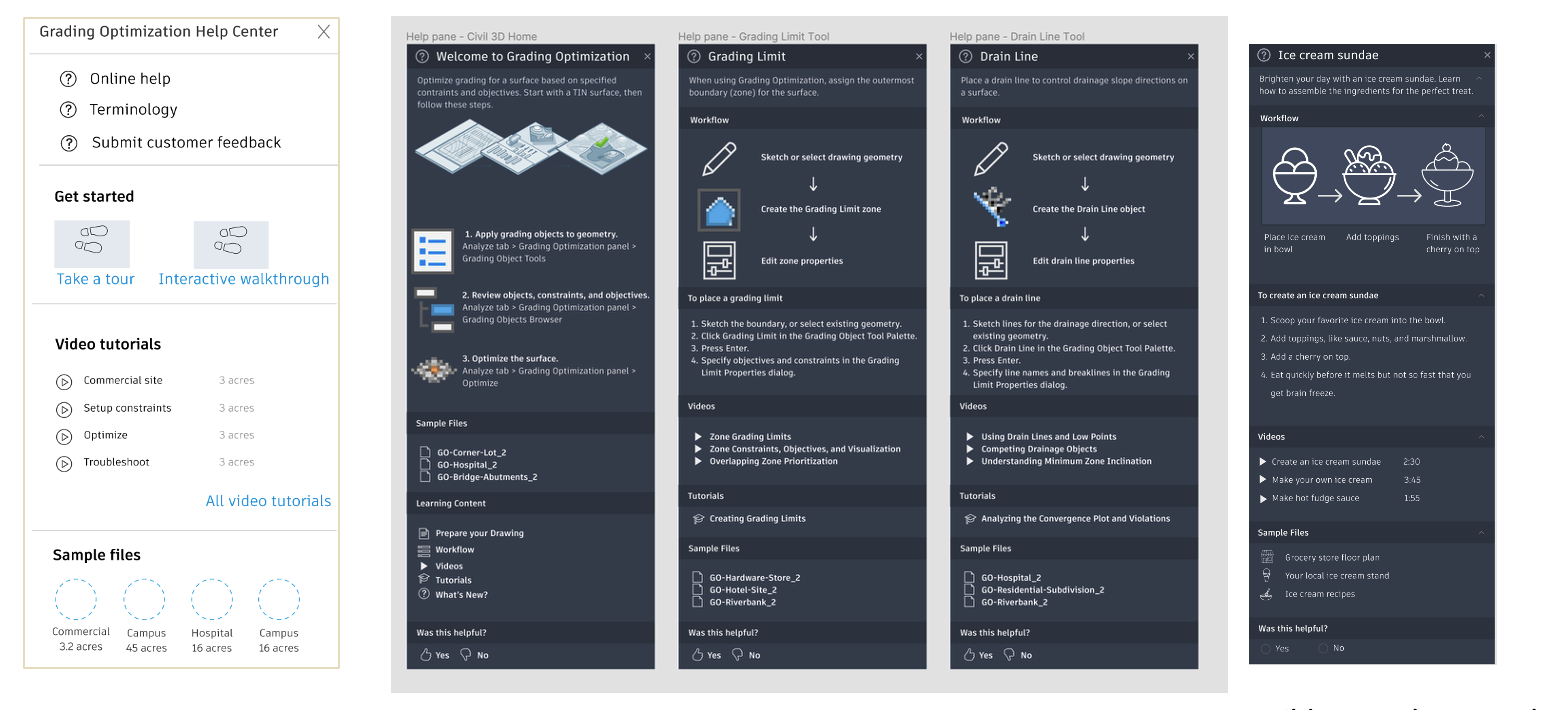
I brainstormed 6 different in product ideas such as help center, sample project, tutorial videos, interactive walkthrough. Surveyed with customer to identify their preference. The team proceeded with the help center idea that included instructions, tutorials and sample file. A close collaboration was built between content team and UX team, so content team can inject user guide info into the product.
The jargons
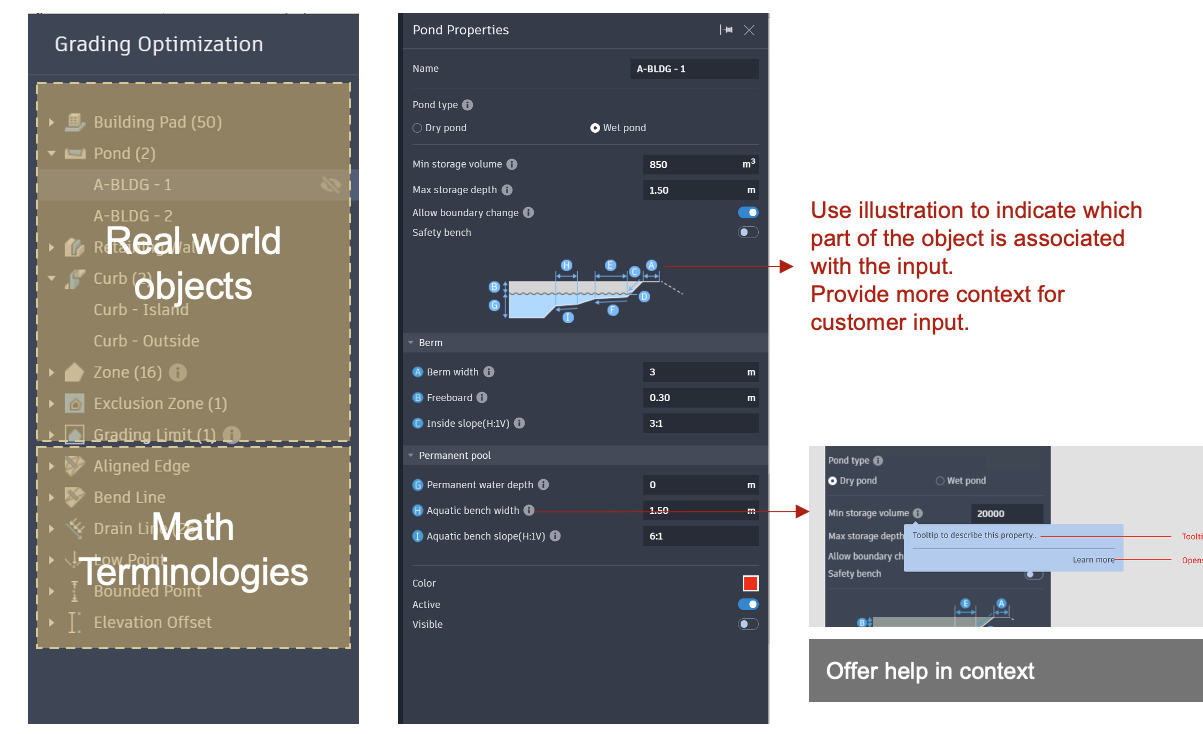
Many grading constraint inputs come from building codes and construction regulations. Even seasoned users may need help understand the terms and jargons. How would we help user understand what those terms mean?
Provide user with illustration and annotations to explain the terms.
Add explanation tips for deeper dives of the jargons in help panel.